Build the screen around one ordering decision
A small counter often has more information than customers can comfortably read. Decide which decision belongs on this display before loading it with every item you sell. A drinks station might show size options, additions and the current special; a collection point may need order instructions instead. These are layout choices for your project, not a fixed software package supplied with the screen.
Create a draft using your actual product names and longest descriptions. Then view it from the expected customer position, including the point where people first join the queue. If prices or modifiers become difficult to distinguish, reduce the content density before changing the typeface. A 32-inch format can be a practical candidate for a compact service area, but the diagonal alone does not establish readability. Counter depth, mounting height and competing signs all affect the result. Compare the available menu board formats once your draft makes those constraints visible.
Plan the wall or hanging installation
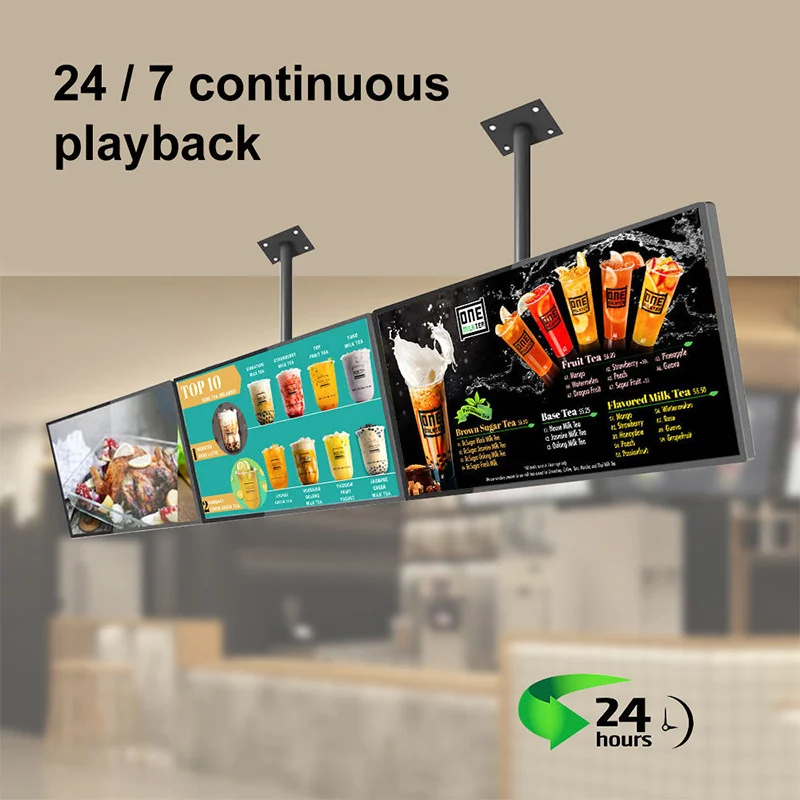
Alihh's product description lists wall mounting and hanging among the installation choices. Specify which arrangement you need in the enquiry rather than assuming that a particular bracket is included. Ask for the enclosure drawing, mounting pattern, product weight, cable exit positions and the matching installation hardware. Those documents are more useful to an installer than a screen diagonal or a front photograph.
For a wall position, record nearby shelving, doors and preparation equipment that could block the view or restrict service access. For a suspended position, have the support structure and fixing method assessed by the responsible installer. Keep the power connection accessible and avoid routing a cable where it can be pulled during daily cleaning. A photograph of the proposed location with measurements marked on it gives the supplier a clear starting point. Do not finalize cabinetry or a decorative surround until the drawing for the quoted configuration has been accepted.
Choose the display configuration with real menu artwork
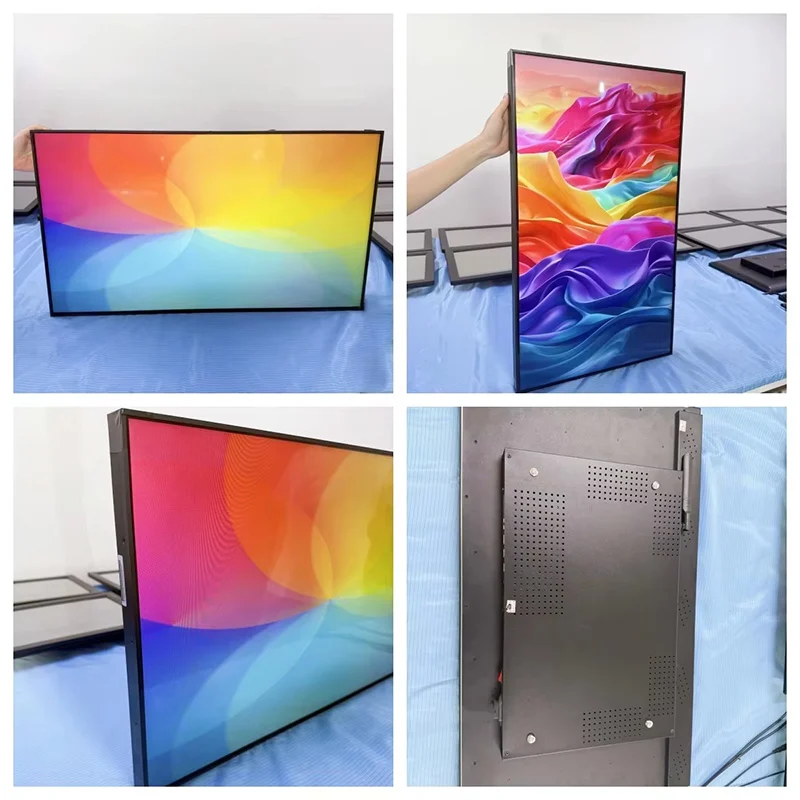
The published product page lists 500 cd/m² brightness and a 4 mm bezel. These are useful reference points for an enquiry, not a reason to skip a location test. A bright ceiling fixture reflected across a price column can undermine a menu that looks clear in a product photograph. Ask to review your artwork under lighting that resembles the intended counter and from the likely customer viewing angles.
Native resolution needs explicit confirmation. The source description uses 4K wording while its feature list specifies 1080P, so this page does not assign a fixed native resolution to the order. Request a written panel resolution and supported media specification for the offered configuration. Do not treat the ability to play a file as proof of the panel's native pixel count. The bezel measurement also should not be read as the total visible gap between two installed displays; enclosure alignment and mounting tolerances still matter.
Define who updates prices and promotions
Remote background content updates are described for this menu board, and the menu-board range is presented with an Android system and remote CMS support. The purchasing question is what your team can do with the particular software supplied. Ask for a demonstration using a price change, an item removal and a replacement promotional image. These everyday tasks reveal more than a generic playback demonstration.
List the people who prepare artwork, approve prices and publish changes. If different roles require different access, make that a requirement to confirm. Do the same for scheduled menus, device grouping and recovery after a connection interruption; do not assume these functions from the words remote CMS alone. Request the software version, account arrangements, hosting terms and any recurring charges in writing. A simple update process that your staff can follow is more valuable than a long feature list that nobody has tested with your menu.
Keep menu content useful during busy service
For a compact screen, the main menu should remain easy to find while customers are deciding. Consider separating permanent items from short promotional messages rather than moving the entire price list through a rapid sequence. If your project uses video, decide whether it belongs beside the menu or in a separate content period. A buyer should approve that editorial approach before asking a designer to produce finished media.
Use consistent image crops and leave enough visual space between prices, item names and optional extras. Check the longest seasonal item as well as the shortest standard one. Where your business needs allergen information or other disclosures, have the responsible person review how that information is presented and whether additional printed information is required. A digital screen is one part of your communication plan. It does not by itself validate the accuracy, completeness or local suitability of the menu you publish.
Confirm power, connectivity and the media workflow
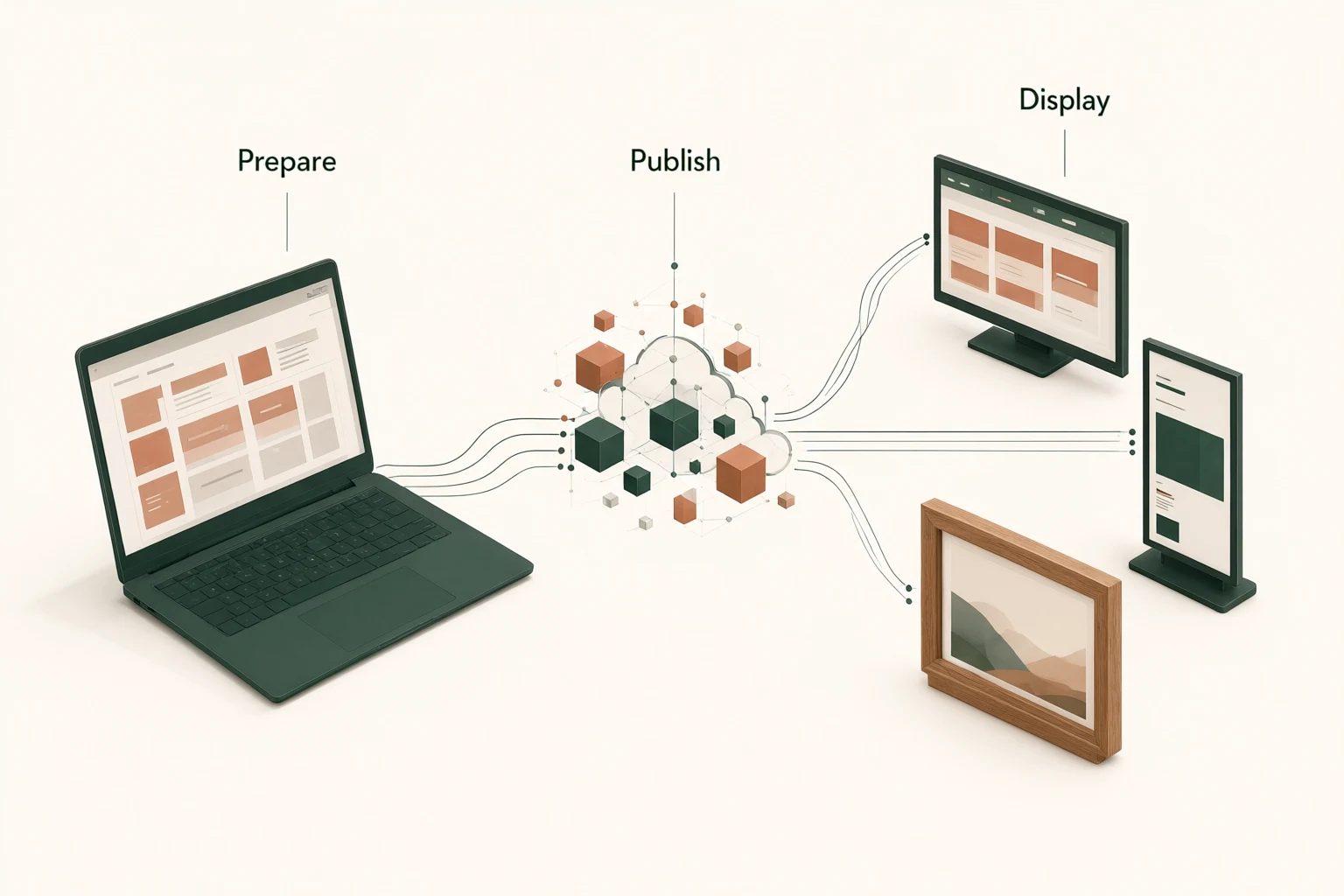
Prepare a small connection schedule for the proposed installation: power source, available network connection, content upload method and any external device you expect to connect. The final port layout and cable requirements should be confirmed against the offered unit. Category-level Android and CMS descriptions do not establish every socket, wireless setting or software integration on a specific order.
Give your IT contact the chance to review the proposed network arrangement before delivery. Ask how an administrator changes credentials, what access is required for remote publishing and what a store operator sees when a connection is unavailable. If your restaurant intends to use an existing content platform, send its technical requirements and request a compatibility check. Avoid purchasing on the assumption that all Android applications will run unchanged. A demonstration with the intended software, media and network conditions is a better acceptance basis than an operating-system name.
Approve a sample against a written checklist
Your sample checklist should describe observable outcomes. Check that the delivered enclosure matches the approved drawing, that the mount leaves the intended service clearance and that cables can be connected without strain. Display the actual menu in its final orientation. Look at small price text, fine dividing lines, food images and any transition between content items, rather than judging only a bright demonstration video.
For the content workflow, record the steps used to publish an update and verify that the intended screen receives it. Reconnect the network and restart power under controlled conditions to understand the recovery behavior. These are suggested buyer tests, not a claim that Alihh performs a particular testing protocol for every order. Agree with the supplier on what evidence will accompany production units and how a discrepancy will be reported. Keeping the accepted sample configuration and software settings in the purchase record reduces ambiguity later.
Compare the full quotation, not only the screen price
A useful quotation identifies the display configuration, mounting hardware, power supply, cable set, software terms, packaging and destination. Ask which items are included and which are optional. If a wall bracket, hanging fixture or installation service is supplied separately, make that visible in your comparison. A lower hardware price can be difficult to assess when the quotations describe different packages.
For a branded deployment, state the requested enclosure finish, logo treatment and packaging artwork, and ask which changes are feasible. Alihh presents OEM and ODM services, but customization scope, minimum quantity, approval steps and timing should be agreed for your order. Include the initial quantity and likely repeat-order pattern without treating a forecast as a committed purchase. The published support policy describes a two-year warranty and lifetime technical maintenance; obtain the applicable terms, exclusions and handling arrangements. Lifetime technical maintenance should not be interpreted as lifetime free replacement.
Check the counter scene before approving artwork
Take a photograph from the customer queue with the intended display position marked. Review what else competes for attention: a pastry cabinet, payment terminal, printed offer or a staff member standing below the screen. Place the draft menu into that scene at a realistic scale. This can reveal a crowded composition before you pay for finished photography or installation.
Keep essential ordering information distinct from decorative food images. If a promotion changes often, give it a defined area so a routine replacement does not force a redesign of the whole menu. Ask the restaurant manager to review a normal service period and a busy period. The aim is to approve a useful communication layout, not to make an unsupported prediction about sales or queue reduction.
Send a compact-counter project brief
To start the discussion, send a location photograph, usable wall or suspension space, intended orientation, menu draft, screen quantity and delivery destination. Explain whether the display will show one permanent menu or several content sets. Name the software you already use, if any, and identify any restriction on network access. This gives the supplier enough context to ask relevant configuration questions.
The most useful enquiry also says what has not been decided. If you are comparing a single 32-inch screen with a larger format, include the customer viewing position and content draft so the comparison can focus on readability and installation. Keep required options separate from preferences. You can request a menu board configuration and quotation with those details. The final purchase specification should settle panel resolution, brightness, mounting parts, software scope and support terms before artwork and installation plans are locked.
Frequently asked questions
Is the 32-inch menu board suitable for my counter?
It is a candidate for compact restaurant service areas, but check it using your real menu and viewing position. Record counter depth, mounting height and the longest price descriptions. If the menu becomes crowded, simplify the content or compare a larger format before ordering.
Does this product have a native 4K panel?
The published source contains conflicting 4K and 1080P descriptions. Native resolution is therefore a configuration to confirm. Ask for the panel specification in the quotation and distinguish native resolution from the media files that the player can accept.
Can staff change the menu remotely?
Remote updates are described for the product and remote CMS support for the range. Request a demonstration of your update process and confirm account access, software version, network requirements and license terms. Do not assume that every scheduling or integration function is included.
What information should I send for a factory quotation?
Send the quantity, destination, mounting plan, menu sample and software requirements. Include requested finish or branding changes and any required mounting accessories. Ask the quotation to identify the actual panel, software package and warranty terms so the offered configuration can be approved clearly.