Design the menu wall as a connected presentation
A menu wall should help customers understand the offer in a predictable order. Start by deciding which screen introduces the main meals, which holds drinks or additions, and where a promotion can appear without interrupting the core price list. These are planning recommendations for your restaurant. They do not imply that a particular multi-screen control function is included in the display.
Sketch the complete wall with all screens, not just a single attractive slide. Mark the order point, queue approach and any point where a customer is likely to pause. Test whether someone can locate a main item and its price without following a long animated sequence. A 43-inch diagonal provides a different physical canvas from a compact counter display, but readability still depends on the layout and location. Review the restaurant menu board range against this wall plan rather than selecting solely by the largest panel your budget allows.
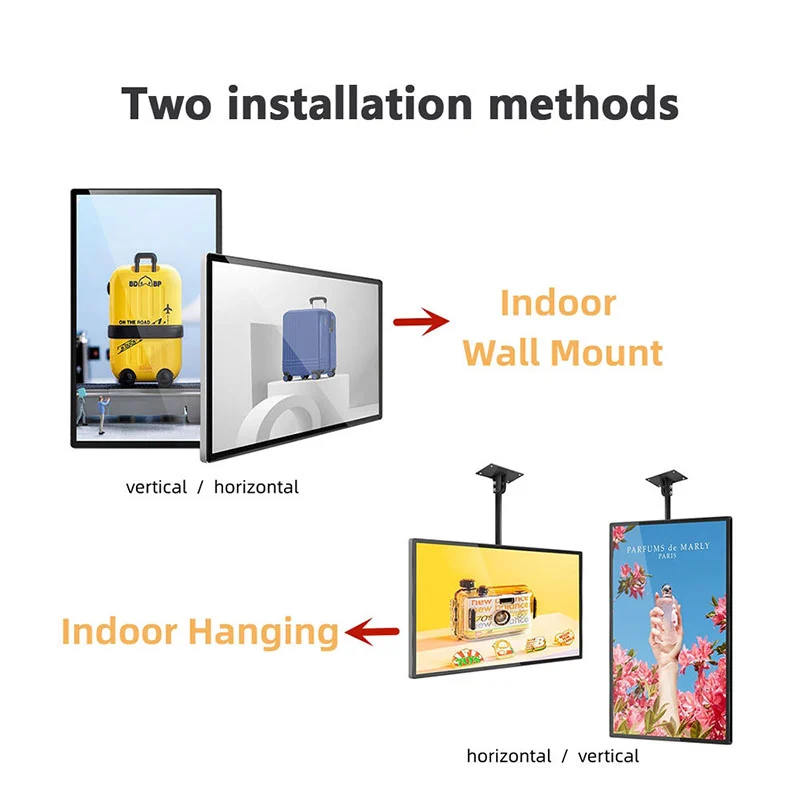
Coordinate screen edges, mounts and service access
The published product description specifies a 4 mm bezel and lists wall, hanging and splicing arrangements. A narrow bezel can support a tidy visual composition, but it is not a specification for the complete installed seam. Ask for the mechanical drawing and discuss how the mounting system will control alignment, spacing and access to each unit. Confirm the actual accessories in the quotation.
For a row of displays, have the installer check the support surface and access sequence. Can a middle unit be removed without dismantling the whole presentation? Are connectors accessible after the final trim is fitted? Those questions should be settled before decorative panels are manufactured. Provide the total available width, surrounding fixtures and preferred cable route. Keep ventilation and service requirements tied to the manufacturer's confirmed installation instructions; do not infer a permitted recess depth or cooling clearance from a photograph of another restaurant.
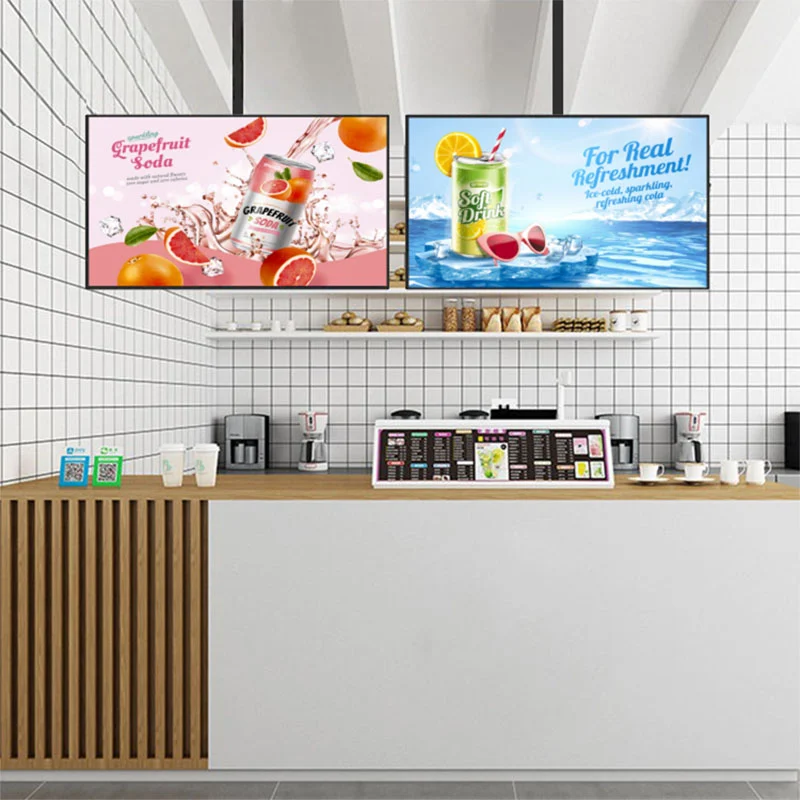
Verify brightness and native resolution separately
The 43-inch source page lists brightness of 500 cd/m². The broader menu-board category describes selectable brightness from 500 to 700 nits, which should be treated as configuration choices rather than a promise that this quoted screen has the highest value. Describe the actual lighting conditions, especially nearby glazing and overhead fixtures, and request confirmation of the offered panel brightness.
There is also a native-resolution question to settle: the product title and summary use 4K wording, while the feature section lists 1080P. This product page therefore leaves native resolution as a configuration to confirm. Request a written panel specification and evaluate text and food imagery on the actual option proposed. Brightness, native resolution and content design answer different questions. A higher figure in one field cannot compensate for small prices, awkward viewing geometry or artwork produced for a different screen shape.
Ask how multiple screens are managed
Remote background content updates are described for the display, and the menu-board category lists Android and remote CMS support. For a menu wall, ask the supplier to demonstrate how individual screens are identified and how the correct content reaches each position. Clear device naming is useful even when the layout contains only a few displays. Include the store name and screen role in your proposed naming convention.
If you want a promotion to span several screens, state that requirement explicitly. Remote publishing alone does not establish synchronized playback, frame alignment or video-wall processing. Ask what hardware and software are required and test the desired result before approval. For ordinary independent menus, focus on reliable publication and clear administration. Request details of scheduling, account permissions, connection recovery and software charges where these affect your operation. Each requested function should have an agreed demonstration or a clear statement that it is outside the supplied scope.
Separate the permanent menu from campaign artwork
A restaurant chain may want consistent menus while allowing a location to display a local offer. Write down that distinction before building templates. Identify the fields that must stay fixed, the items a store can change and the person who approves prices. A template with stable item and price positions can make later updates easier to review, even if the content is prepared outside the supplied CMS.
Plan for long product names, different currencies and seasonal artwork in the design review. Avoid testing only with a short demonstration menu. Food photographs should be cropped for the intended placement and checked beside the actual price typography. If your restaurant uses different menus during the day, confirm the software mechanism and timezone handling rather than assuming scheduled playback. Keep a record of approved files and their publication dates so an operator can tell whether the wall is showing the intended version.
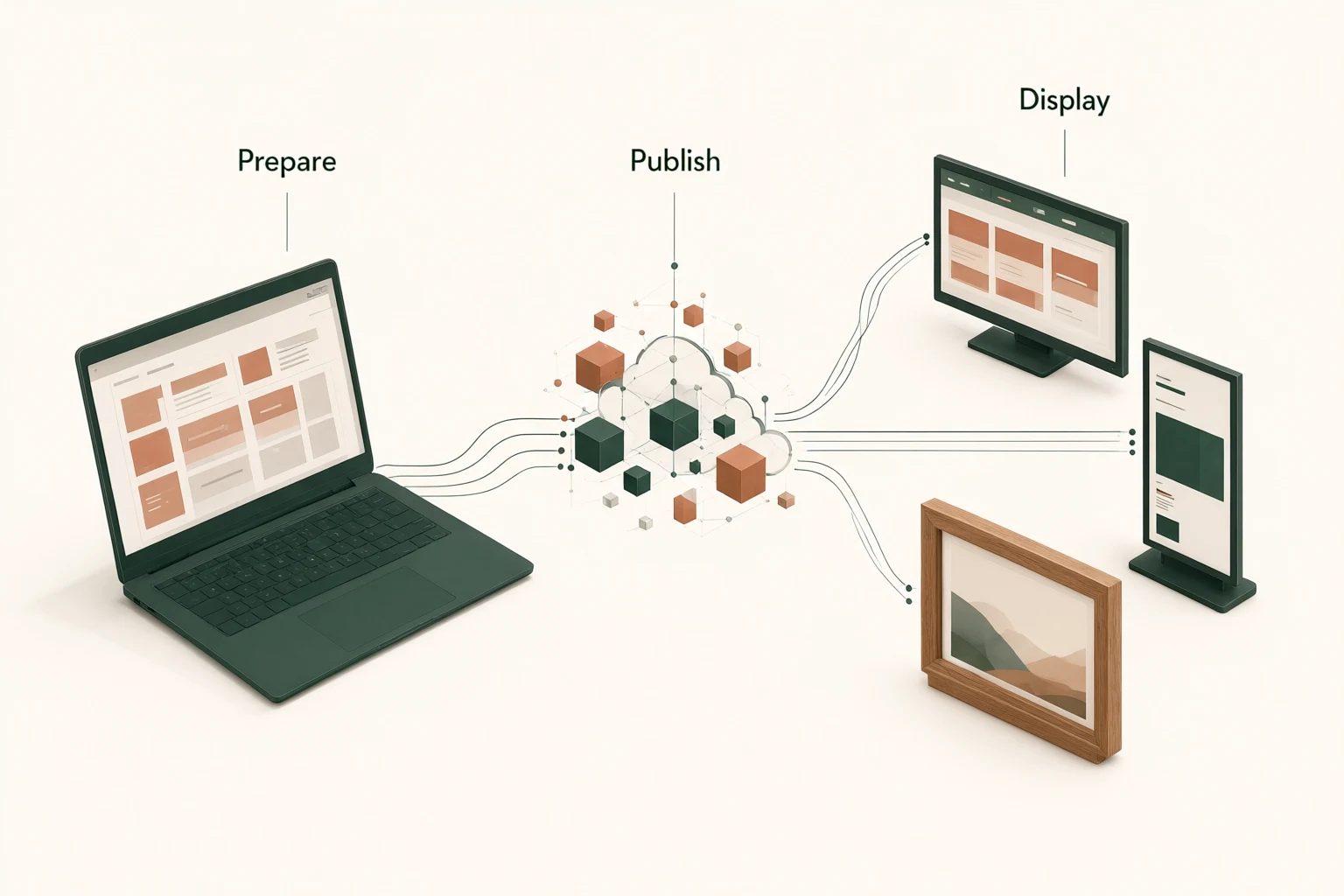
Build a rollout specification that another store can use
A first installation often reveals practical details that were missing from the enquiry. Capture them in a repeatable project specification: panel configuration, orientation, mounting parts, cable arrangement, content dimensions, software settings and the method used to identify each device. A repeat-order brief should describe the accepted configuration rather than relying on the words same as last time.
Different stores may have different walls, power positions and network policies. Separate the common hardware requirement from the site-specific installation plan. Ask the supplier which configuration details can be held consistent across orders and how a proposed component change would be communicated. These are procurement requests, not a claim of guaranteed component availability. If the project involves several destinations, describe the shipment grouping, labeling and packing information you need. Confirm production timing and shipping terms for the actual order instead of treating an initial estimate as an unconditional schedule.
Use the pilot to test the complete operating sequence
A useful pilot starts with unpacking and ends with a routine menu change. Check the physical condition, accessory list and correspondence with the agreed configuration. Install the display using the approved mounting approach, then view the full menu from the queue and the order point. Look for reflections, blocked content and inconsistent visual treatment between neighboring screens. Keep a record of the artwork used for the assessment.
Next, test the publishing steps with the people who will operate the system. Verify that an update reaches the intended display and that an incorrect file can be replaced using the documented process. Observe behavior after a planned restart or temporary network interruption. If synchronized content is a project requirement, include it as a separate acceptance test. These suggested checks help you define acceptance; they are not presented as factory test results or an assurance that every software feature is already implemented.
Specify purchasing and support boundaries
Request an itemized quotation that identifies the display, mounting solution, power supply, cables, software provision and packaging. For each item, distinguish included equipment from options. Confirm whether configuration work, installation assistance or artwork services form part of the offer. A commercial comparison should use equivalent deliverables, especially where one proposal includes mounting parts and another quotes only the display.
Alihh describes OEM and ODM capability, so you can discuss enclosure treatment, branding and other project requirements. Ask for feasibility, approval samples, quantities and timing for the particular changes proposed. The company's published policy refers to a two-year warranty and lifetime technical maintenance. Obtain the written terms for your order, including fault reporting, exclusions and transport responsibilities. Do not interpret the maintenance language as unlimited free service. For a rollout, discuss how you intend to hold spares and what replacement configuration information will be retained.
Prepare content handover for the restaurant team
A menu-wall handover should identify which content file belongs to each screen and who can authorize a change. Prepare a position map using names that staff understand, such as the main-meal screen or drinks screen. Keep the original editable artwork separate from the final media files prepared for publication. This reduces the chance of an operator uploading the wrong format.
Include a reference image of the accepted wall layout and a short description of the update process confirmed during the pilot. Ask staff to check prices and item availability after a publication, especially when several screens share related offers. These are buyer-side operating recommendations. Whether the CMS can automate any part of the process must be verified in the software demonstration rather than assumed from the availability of remote updates.
Prepare a menu-wall enquiry that can be priced
Send a marked wall photograph, a layout showing each intended screen position, the number of restaurants and your initial order quantity. Include menu artwork or a rough content map, the viewing direction, mounting preference and delivery destinations. Identify whether each screen will show an independent menu or whether any content must span several displays. That distinction can change the system discussion substantially.
State the requirements still under evaluation, such as native resolution, brightness option, CMS workflow and mounting package. A useful supplier response should answer those points with a defined configuration and commercial scope. You can send your restaurant menu-wall brief to begin that review. Before placing the order, reconcile the approved drawings, software demonstration and quotation so that procurement, installation and restaurant operations are working from the same description of the system.
Frequently asked questions
Can several 43-inch displays form a menu wall?
The product description lists splicing along with wall and hanging installation. Confirm the mounting layout and control system for your project. A physical row of displays does not automatically provide synchronized video or a single extended canvas; request a demonstration if those functions are required.
Is the brightness always 700 nits?
No. The specific product page lists 500 cd/m², while the category describes selectable brightness from 500 to 700 nits. Ask the quotation to state the selected panel brightness and assess it under the intended restaurant lighting conditions.
Which resolution should be used for the content?
First confirm the native panel and playback configuration because the published source contains conflicting resolution descriptions. Then prepare artwork to the accepted content specification. Keep the complete wall layout and individual screen assignments clear when preparing files for a multi-display installation.
What should a chain restaurant include in its RFQ?
Include store count, screen positions, quantities, installation drawings, sample menus and software requirements. State any need for synchronized content, local price changes or grouped publishing. Ask for itemized equipment, software terms, packing arrangements and a defined support process for the rollout.